Make 4x6 Classic Prints
Some mysteries are too big to solve, but the printing thing? Oh, we’ve got this printing thing down and we’re here to help. We’re going to answer some common questions, explain how to find the file size of your photo, and tell you just what that means in the grand scheme of (printing) things.
How can I tell if my photos are good enough?
One way to find out, is to just get started making a print in our print shop, Parabo Press. If a photo is definitely too small or too low-resolution to print, a warning icon appears over the photo on the preview screen, after you upload it. If you see the warning icon, try swapping it out for a higher-res photo.
Generally, the best images for 4x4 Square Prints, Photo Books, and 4x6 and 5x7 Classic Prints are 2-5mb each. These are perfect for printing your Instagram and camera roll images! The best images for large 3x4 ft Engineer Prints, Fine Art Prints, and Newsprints are 5-10mb each with a resolution of 300ppi/dpi. Feel free to contact us if you have questions about sizing.
What file formats do you accept?
We accept .jpg files. If you need assistance converting your files to .jpg format, please email us. If you send us the photo(s), we’re happy to do it for you! We also allow easy uploading from Instagram and Dropbox.
Why are my photos blurry/low quality?
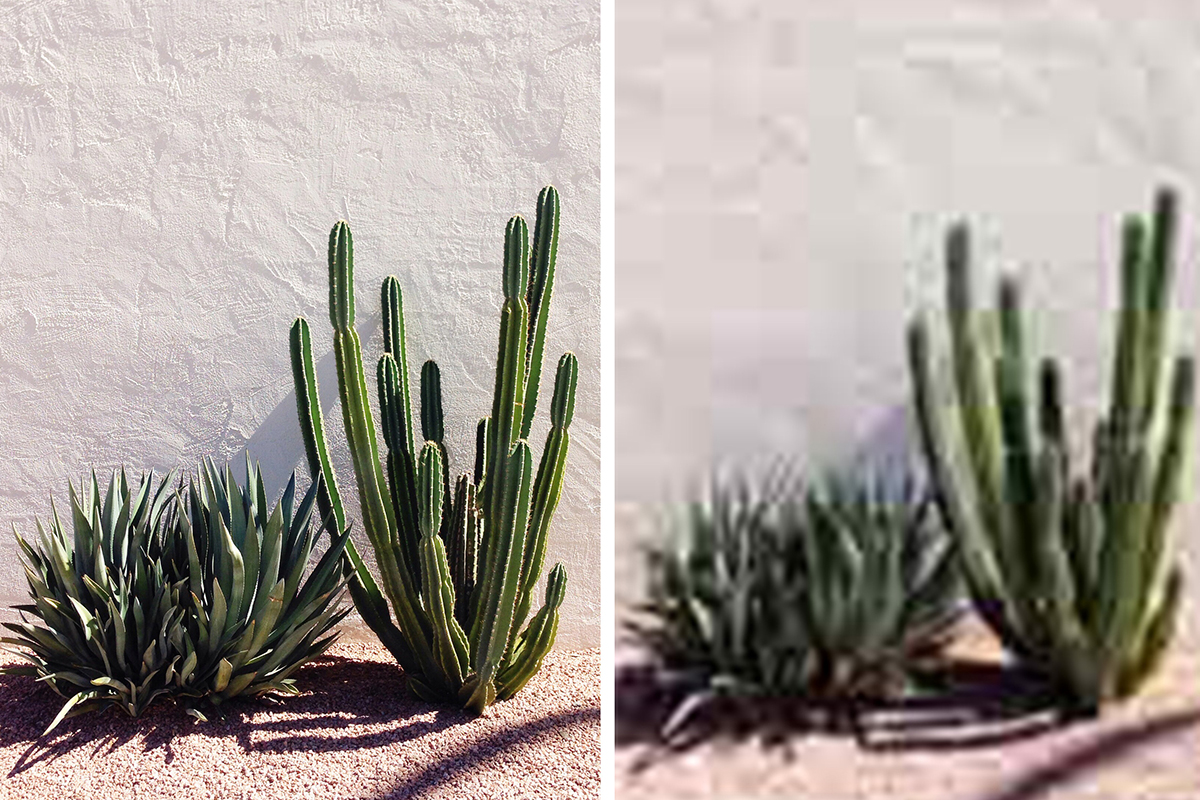
If a photo is too small or too low-res to print, a warning icon appears over the photo. We recommend swapping it out for something crisper. If you have your heart set on that image, you can still print it, but we can’t make it look any clearer. If your print arrives pixelated, send us an email at help@parabo.press and we’ll hook you up with Parabo credit to replace it.
What’s a Dimension?
To know just how big you can print your photo, you’re going to want to know the dimensions of your photo. What’s all that now? The dimensions of your photo are how many teeny-tiny pixels wide and tall your photo is. The totals depend on the quality of your camera and what settings you use while shooting.
The dimensions can also be affected by editing/cropping the photo, or sending it in a email or text that might make it smaller so it will send more quickly.
Got it. How Do I Find Those For My Photo?
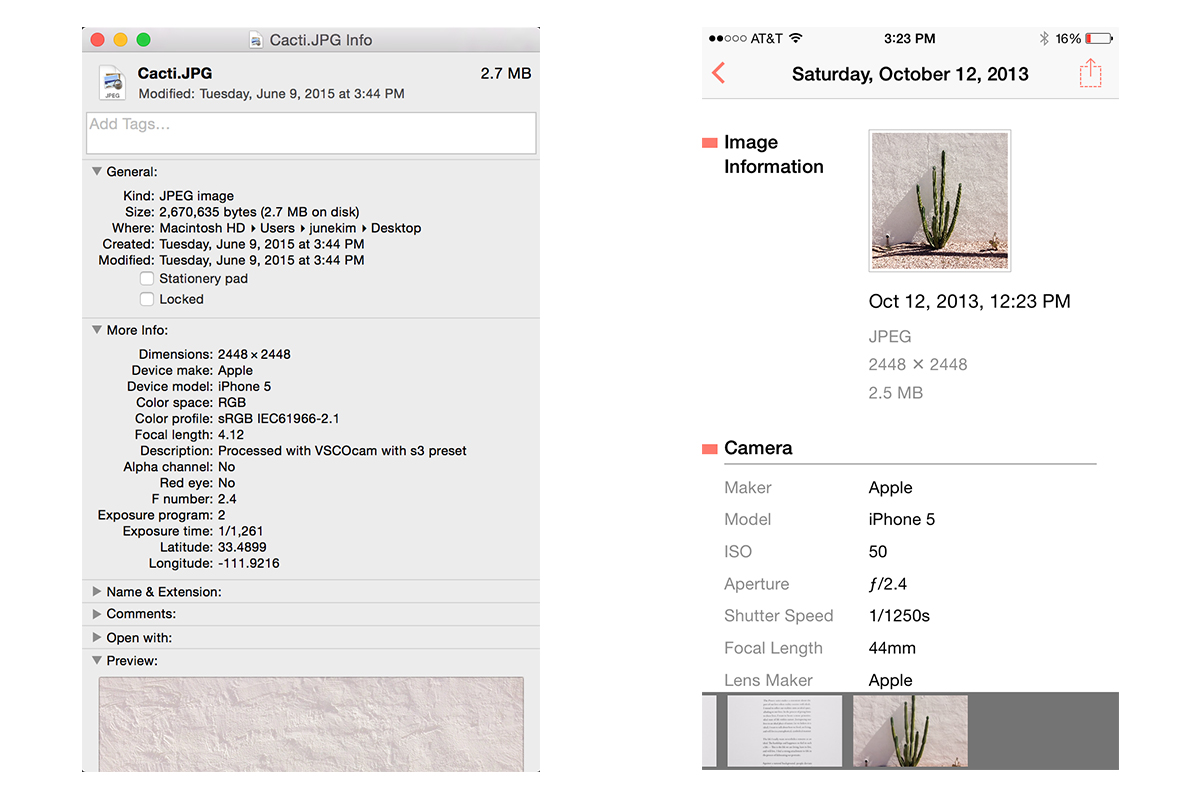
If you’re on a Mac it’s as simple as selecting the file you want to print, then clicking File > Get Info (or click command-I), then click the “More Info” carrot if the dimensions are not already showing and tada, there you have ‘em.
On an iPhone you’re going to need an app that can read the metadata (all the extra info your photo file carries around with it) of your photo. Fortunately, there are several that do just that. We like Metapho because it’s super simple. Just tap any photo in your camera roll and voila, there are your dimensions.
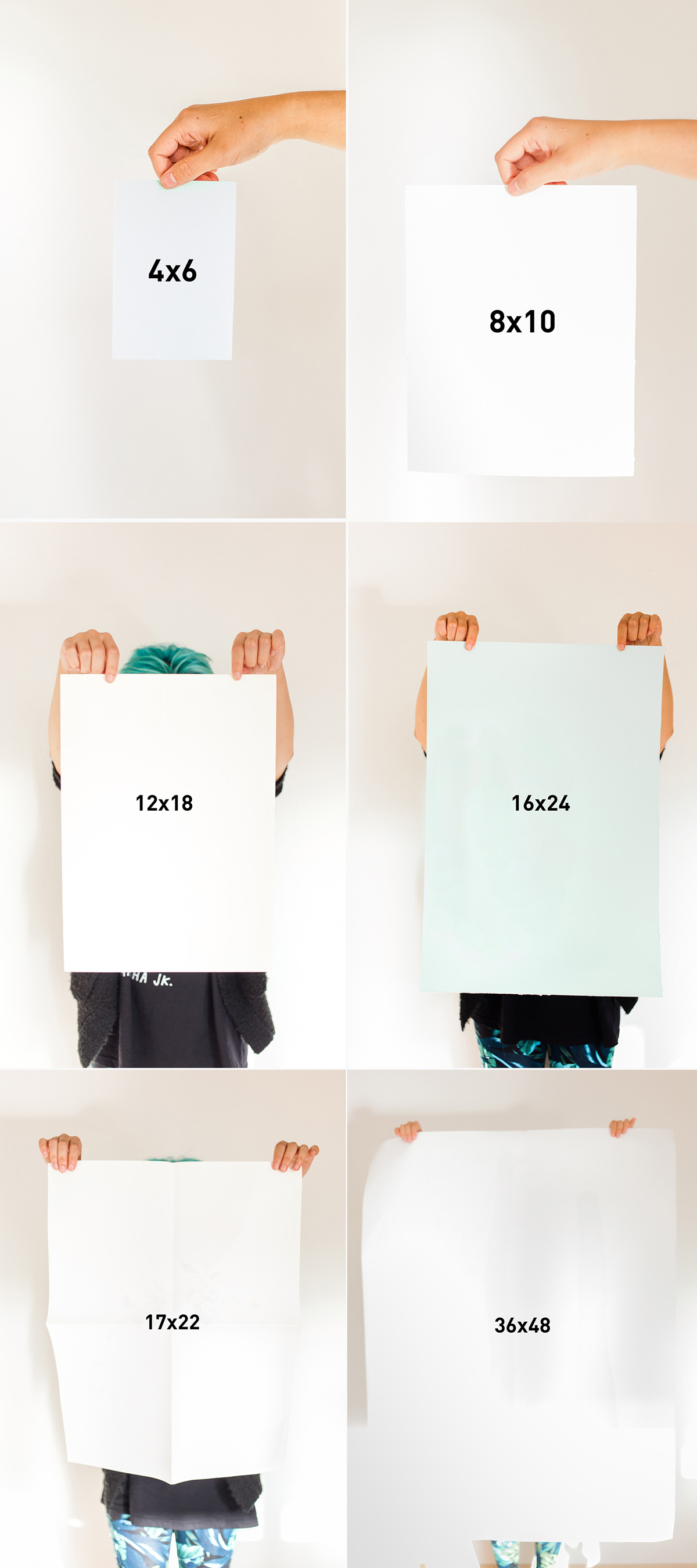
Now That I Know … How Big Can I Print?
The truth is, you can blow up any photo as large are you want and print away! But, if you enlarge it too much, you’re going to start seeing the individual pixels, which is no good.
So before you decide how big you’re going to go, keep in mind the quality you want. Think about the number of pixels you’ll print in each square inch … you just thought about resolution!
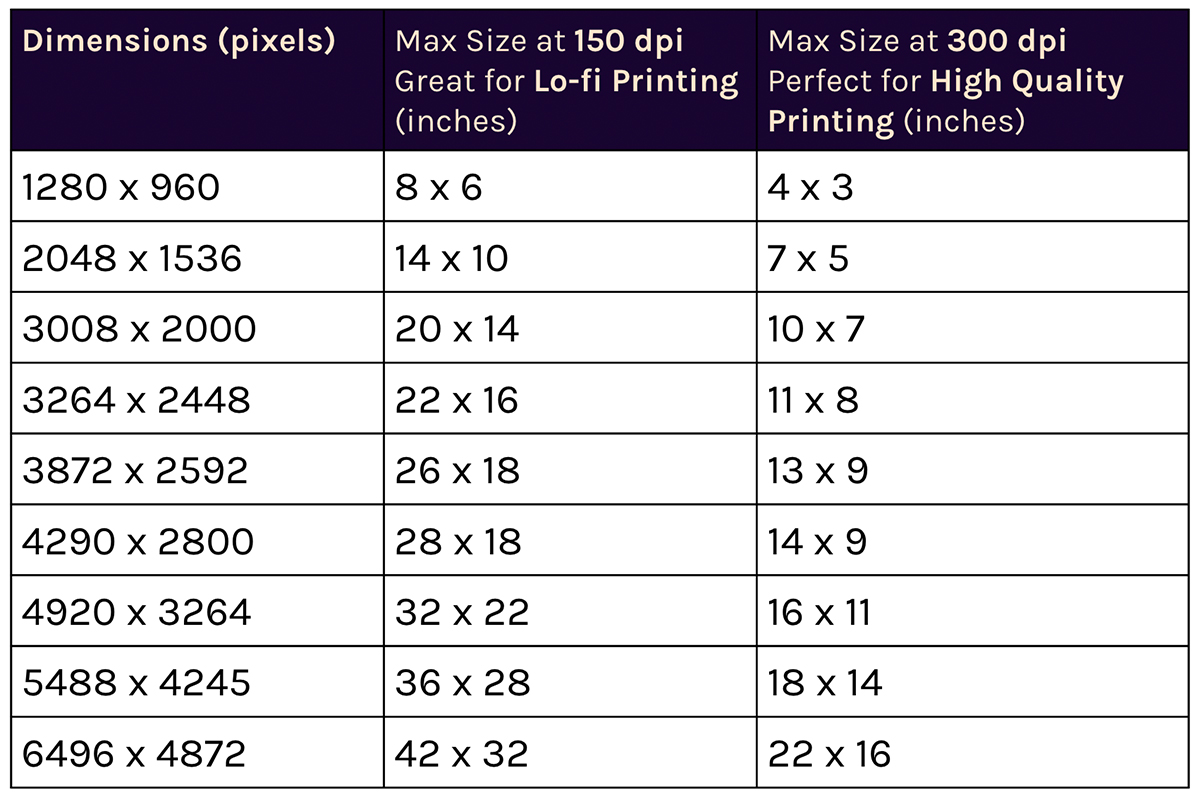
Some print methods require very high resolution (lots of little pixels in each square inch) and will result in tack sharp images. Usually that’s around 300 dpi (dots per inch).
Some print methods are a bit more lo-fi by nature and more forgiving of low resolutions, down to about 150 dpi. These lower resolutions are also acceptable for prints that are likely to be seen from a farther distance, like a big ol’ wall hanging.
Simply divide your dimensions by the resolution you’re going for to find the max size in inches, or look at this handy chart.
Now that you know just how big you can print your photos, go forth and print. Print like the wind.